For a few years now, higher education institutions have been looking to deliver classes in person and remotely at the same time. Two approaches coexist on the market: classic hybrid teaching, cobbled together around video conferencing tools like Teams or Zoom, and the HyFlex classroom, designed specifically for this teaching situation. So: HyFlex classroom vs hybrid teaching — here’s everything you need to know.
These two solutions don’t have the same requirements, nor the same impact on teachers, students, and technical teams. Here’s a concrete comparison to help you see things clearly.
1. What is a HyFlex classroom?
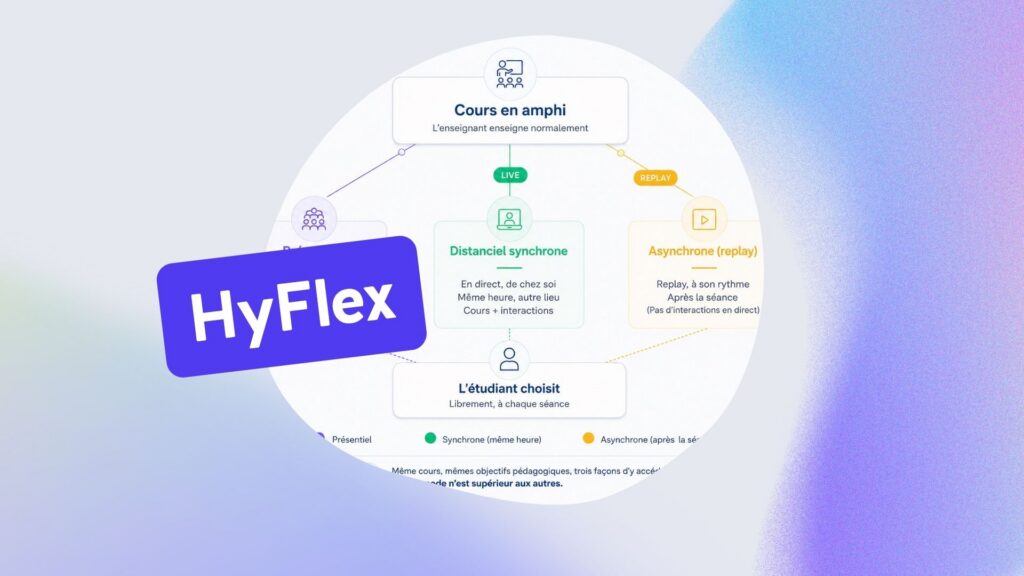
HyFlex teaching refers to a teaching format in which in-person and remote students follow the same class, at the same time, with the same quality of experience. Each student freely chooses how they’ll take part — in the room or remotely — with no impact on their access to the content.
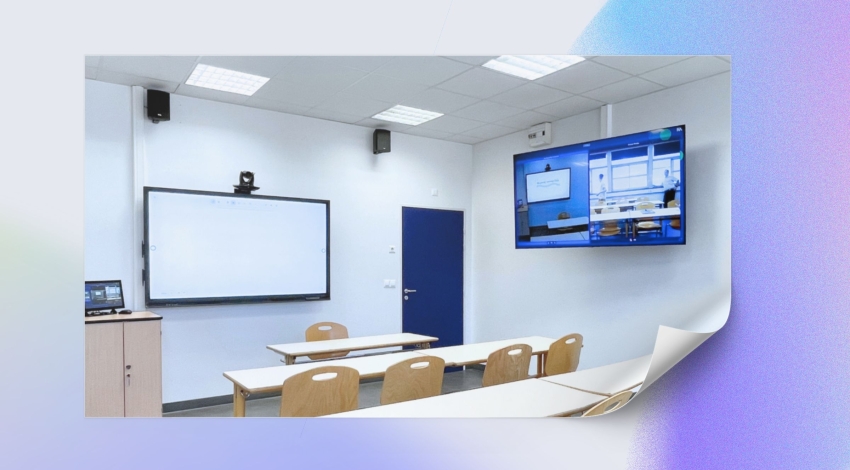
A HyFlex classroom is the physical and technological environment that makes this possible. It includes:
- Automated cameras that film the teacher, the board, the interactive whiteboard, and the room with no manual intervention
- Multi-feed broadcasting software that lets the remote student choose what to enlarge on screen, as if they were in the front row
- Live and on-demand broadcasting accessible from any device
- Built-in teaching tools: automatic attendance tracking, quizzes, polls, a collaborative whiteboard, chat, “coming up to the board”
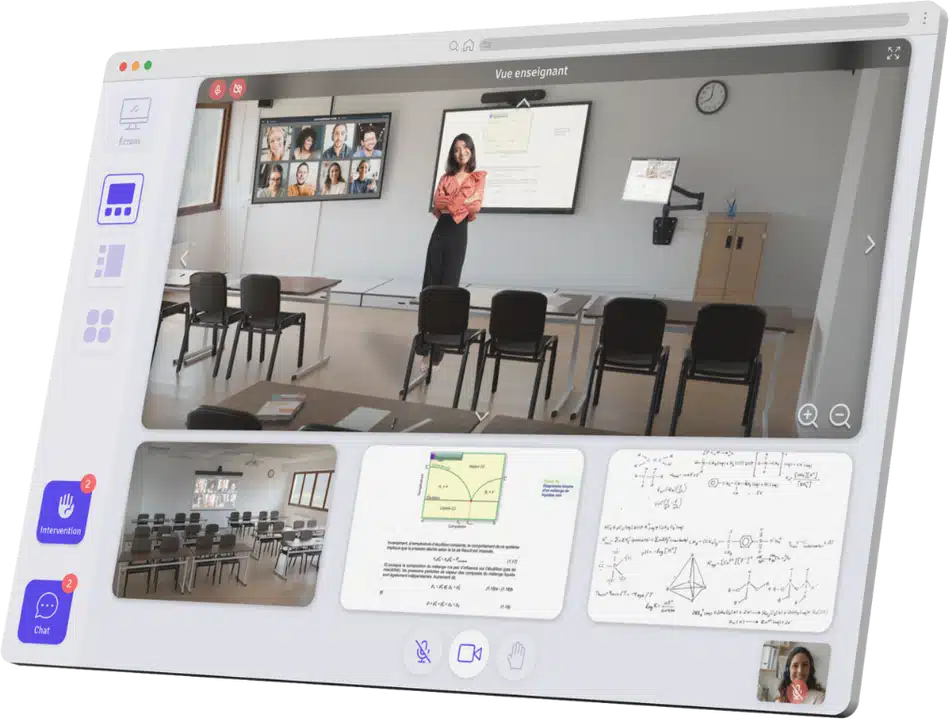
The goal is for the teacher to teach exactly as they would in front of an in-person classroom — with no cabling, no configuration, no technical management.
2. Classic hybrid teaching: a workaround solution
Hybrid teaching in the everyday sense relies on general-purpose tools — mainly Microsoft Teams, Zoom, or Google Meet — used to broadcast a class live. This approach has been widespread since Covid, but it has structural limitations well known to teaching teams.
What this actually requires from a teacher:
- Connecting their computer, starting Teams, sharing their screen, turning on the camera
- Managing the remote chat, questions from the room, and the class itself all at once
- Making sure the microphone properly picks up the room (often it doesn’t)
- Starting over at every session
The problem isn’t Teams or Zoom as such — these tools do what they’re designed to do. The problem is that they were built for meetings, not for lectures with a physical room on one side and remote attendees on the other.
3. HyFlex classroom vs hybrid teaching: the 5 key differences
3.1 The burden on the teacher
Classic hybrid: the teacher is their own technician. They have to master the tool, manage the audio-video, and engage two audiences at the same time.
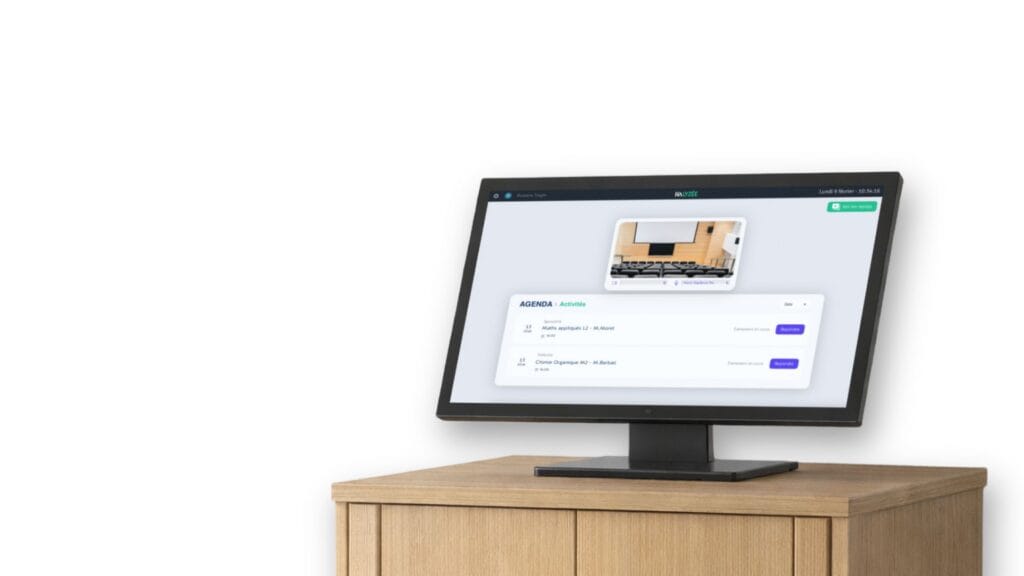
HyFlex classroom: the teacher walks into the room, clicks on their class in the calendar, and starts teaching. Cameras control themselves automatically. Zero cabling, zero setup.
“If a teacher has to click more than twice before their class, you’ve already lost.”
3.2 The remote student experience
Classic hybrid: the remote student sees a single window — often the teacher’s screen share or a fixed camera. They can’t see the board, the room, or other students’ reactions.
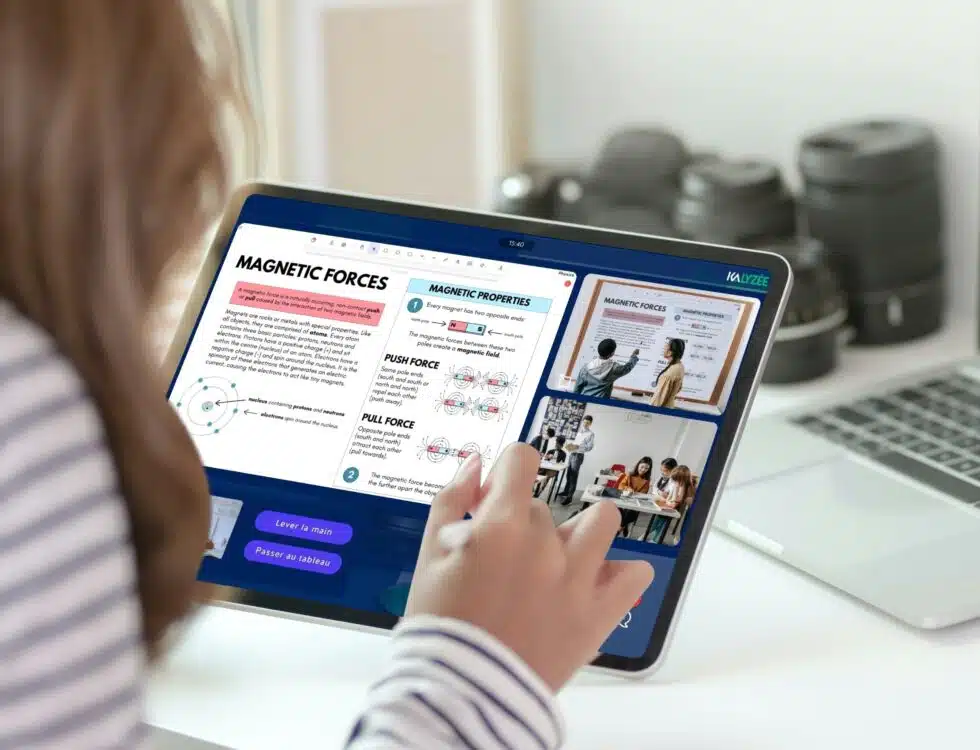
HyFlex classroom: the student has access to several simultaneous video feeds (teacher, board, interactive whiteboard, room view) and chooses what to enlarge in real time. They can interact, ask questions, answer a quiz — as if they were physically present.
3.3 Integration with the institution’s organization
Classic hybrid: every class has to be manually scheduled in the tool. The meeting link needs to be created and shared. If a class is canceled or rescheduled, the whole chain needs to be updated.
HyFlex classroom: the system is connected to the institution’s calendar (student portal/LMS). The class automatically appears in the platform at the right time, in the right room. No manual action is needed from the teacher or the administration.
3.4 Audio-video quality
Classic hybrid: quality depends on the equipment available — often a laptop with its built-in microphone. The room’s audio is rarely captured properly. Students at the back of the room are inaudible.
HyFlex classroom: the room is equipped with ceiling microphones, PTZ cameras, and a dedicated encoder. The audio captures the whole room, and the cameras automatically follow the teacher’s movement. Quality stays consistent, session after session.
3.5 Traceability and on-demand video
Classic hybrid: recording has to be started manually for every session. Files then need to be exported, stored and shared — if anyone remembers to.
HyFlex classroom: every class is automatically recorded and available on demand as soon as the session ends, accessible from the student’s portal. Attendance (remote and in-person) is also logged automatically, with no extra action needed.
4. Which institutions is the HyFlex classroom right for?
The HyFlex classroom addresses specific needs. It is particularly well suited to institutions that:
- Train learners across several sites and want to share teaching staff without duplicating positions
- Have students on the move (internships, work-study programs, remote locations) who need to keep up with classes without being penalized
- Are looking to optimize costs: a teacher covering 3 sites at once means significant savings on payroll
- Want to strengthen their program with a high-quality remote experience, as a point of differentiation
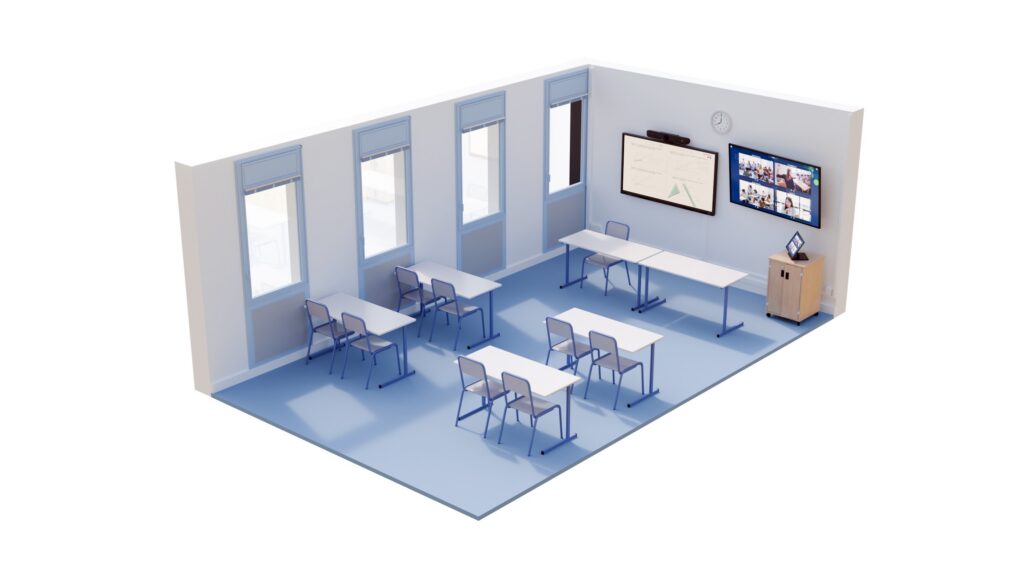
Among the user profiles of Kalyzée Connect: universities (law lecture halls, medical amphitheaters), health prep schools, grandes écoles, architecture schools, and apprenticeship training centers (CFAs).
5. Do you have to choose between the two?
The question isn’t necessarily “one or the other”. In many institutions, Teams stays the everyday tool for small groups, teaching meetings, or tutorials. The HyFlex classroom takes over for lectures, amphitheater classes, and courses spanning several sites at once.
The mistake would be to make Teams do what it wasn’t designed for — that is, replace a classroom infrastructure. And conversely, to equip spaces with a HyFlex setup that will never actually have remote students.
The right approach: identify the use cases first, then pick the tool suited to each situation.
So: HyFlex classroom vs hybrid teaching?
Classic hybrid teaching is a pragmatic response, often inherited from Covid, that let many institutions keep teaching continuity going. But its limitations — the burden on teachers, a degraded experience for remote students, inconsistent audio-video quality — quickly become a barrier to teaching quality.
The HyFlex classroom is an infrastructure built to overcome these limitations: it makes the technology invisible, guarantees the same experience for every learner, and fits naturally into how the institution runs.
Kalyzée Connect is the HyFlex platform deployed in more than 500 classrooms across France — universities, health prep schools, grandes écoles. If you’re thinking about equipping your classrooms or interconnecting your campuses, we’d be happy to talk it through.