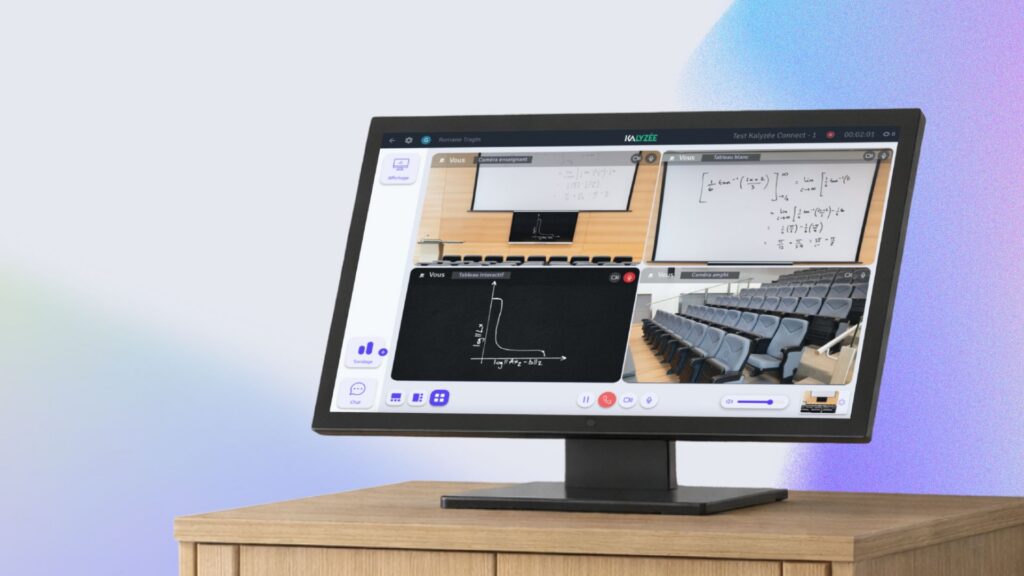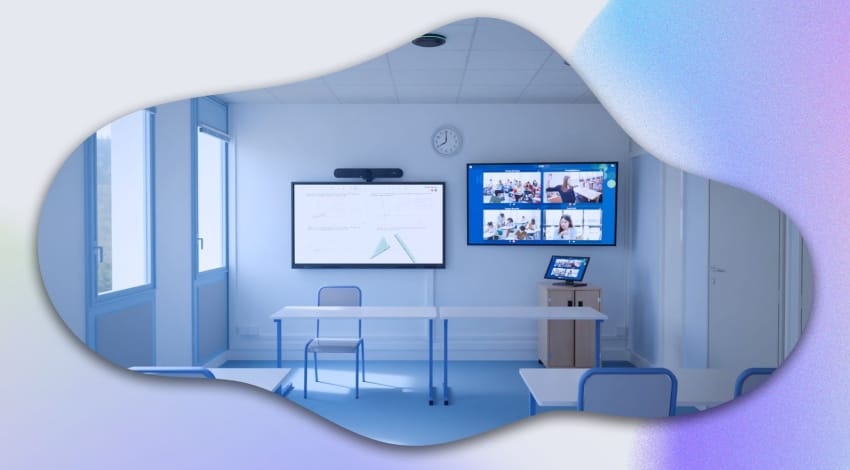
At Kalyzée, designing training spaces is our specialty, with particular focus on laying out hybrid training rooms that blend in-person and remote learning seamlessly.
In this article, we offer a detailed look at the different ways to lay out a training room, guiding you through the choices to make based on your teaching goals. Whether you’re looking to equip a room for interactive training, collaborative sessions, or lectures, the layout plays a real role in overall learning. We’ll also look at how to adapt the space based on the number of participants and the size of the room.
Flexibility in training room layout shouldn’t be overlooked either, especially in a professional setting, where a room may be used both for meetings and for training sessions. Modular solutions make it possible to reconfigure the space as needed, giving you a versatile environment suited to both staff training and meetings.
In this article, you’ll discover how a well-thought-out training room layout can transform your space for ever more effective training.
Laying out a physical (in-person) training room
The layout of a training room directly affects how effective the learning process is. Even with well-structured lessons, rich content, interactive activities, and varied materials, a completely unsuitable space can have a negative impact on learning — and on overall engagement.
To create an environment conducive to learning, opt as much as possible for a modular setup that can adjust to the various teaching needs described below.
Laying out a training room: the arrangements
How workstations are organized in a room needs to be thought through based on the teaching goals of the class or session. A good layout lets you adapt the space to varied activities and strengthens how well the material comes across. In fact, there’s no such thing as a perfect layout: the ideal is to go for modular, flexible setups that can adapt from one session to the next.
Lecture hall or classroom
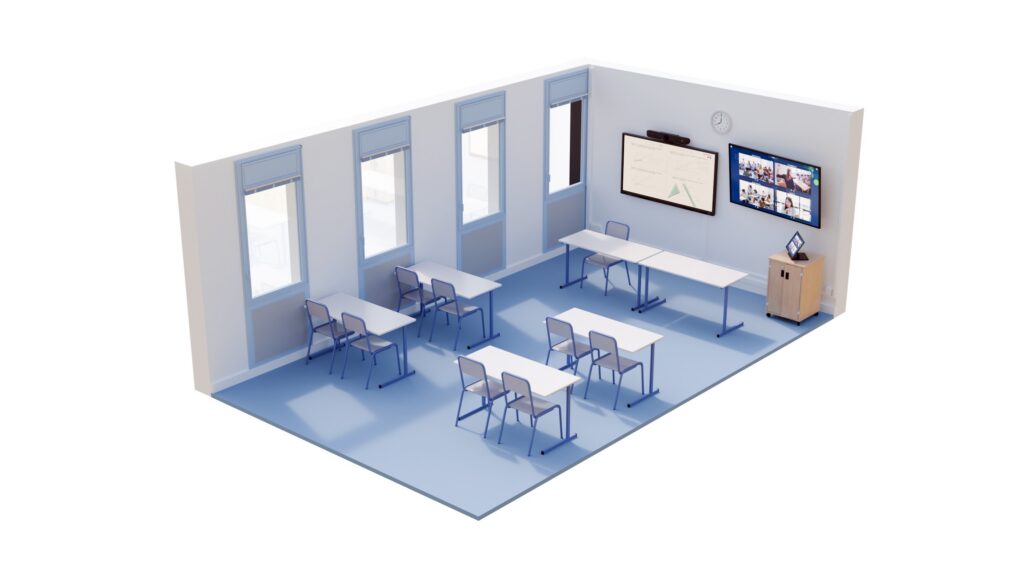
In this classic setup, in lecture hall or traditional classroom mode, the advantage lies in optimizing space, making it possible to host a large number of participants.
However, this type of layout limits interaction and collaboration between learners. Since participants all face forward, it restricts communication between them. What’s more, in large rooms, those seated at the back can struggle to see the screen or the board clearly, which can affect their engagement.
U-shape
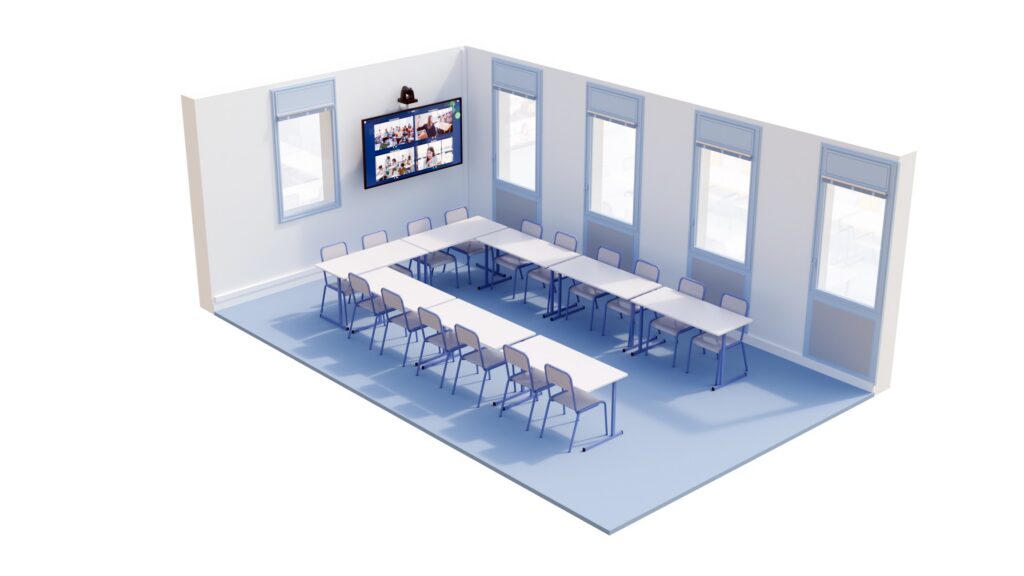
The U-shape creates a setting that’s well suited to direct exchanges between the trainer and participants. With this layout, the instructor can move freely through the center of the space, which makes it easier to interact with everyone. What’s more, each participant has a clear view of their peers, which is great for group dynamics and discussion.
However, this setup reduces the number of participants the room can hold.
Circle arrangement

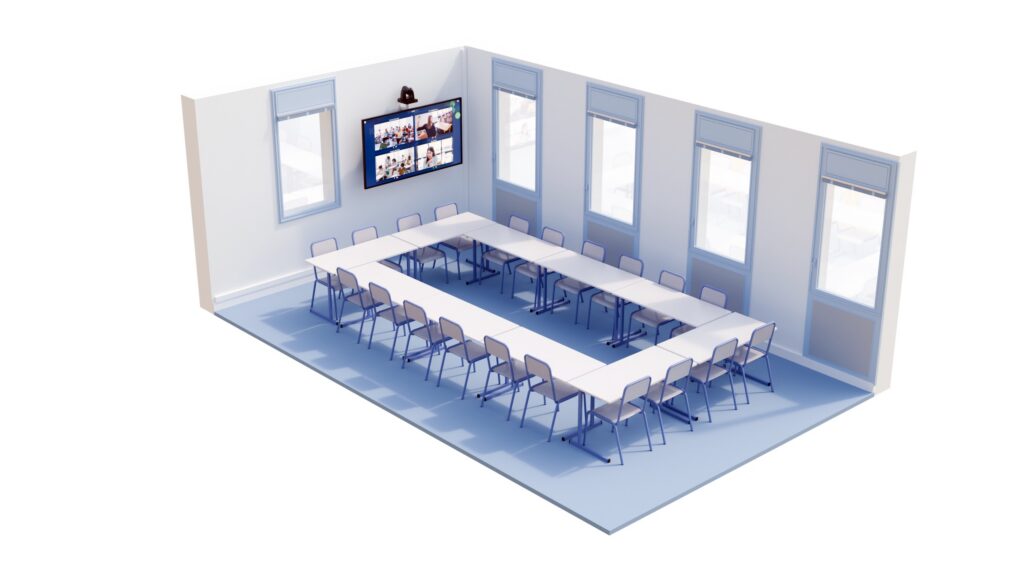
The circle arrangement stands out for its democratic feel, where every participant can see and interact directly with everyone else, with no predefined “hierarchical seat”. In this setup, discussion is encouraged on an equal footing for everyone.
However, the center of the table becomes wasted, unusable space, and visibility of a large screen or board can become an issue, particularly for those seated at either end of the circle.
Pod/cluster arrangement
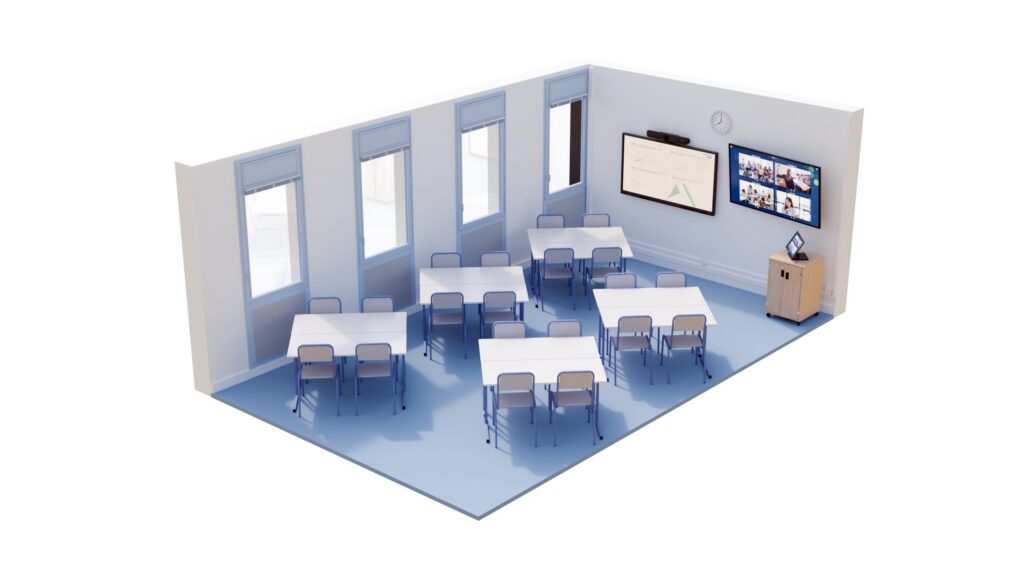
The pod/cluster arrangement is ideal for group work. It naturally encourages mixing, with exchanges and collaboration heightened by how close participants are within the same pod. The trainer can move between pods to keep track of each project.
However, this setup limits visibility between groups and can reduce collective attention. It also doesn’t always offer a direct view of a large screen, which makes sharing course material more complicated.
Other factors to consider when laying out a training room
When thinking about a training room layout, you need to strike a balance between aesthetics and functionality. Elements such as lighting, furniture, and technology integration need to be carefully chosen to ensure a space that’s both comfortable and effective.
Lighting
It’s best to opt for uniform lighting, neither too intense nor too artificial, to create an atmosphere that helps concentration. Today, LED systems offer cost-effective solutions, letting you adjust brightness and color temperature as needed. This kind of control allows for a smooth transition between discussions and on-screen presentations, for example.
Ergonomic chairs
Participant comfort matters, especially during long training sessions. Well-designed, ergonomic seating helps learners stay focused. Inadequate furniture can lead to fatigue that gets in the way of learning.
Modular tables
Tables need to be not only sturdy but also modular and easy to reconfigure. They should be easy to move around to adapt to the different course layouts described earlier — whether for small groups or more traditional sessions. Connectivity (outlets and ports) also needs to keep up with this flexibility, so participants can use their computers in any arrangement.
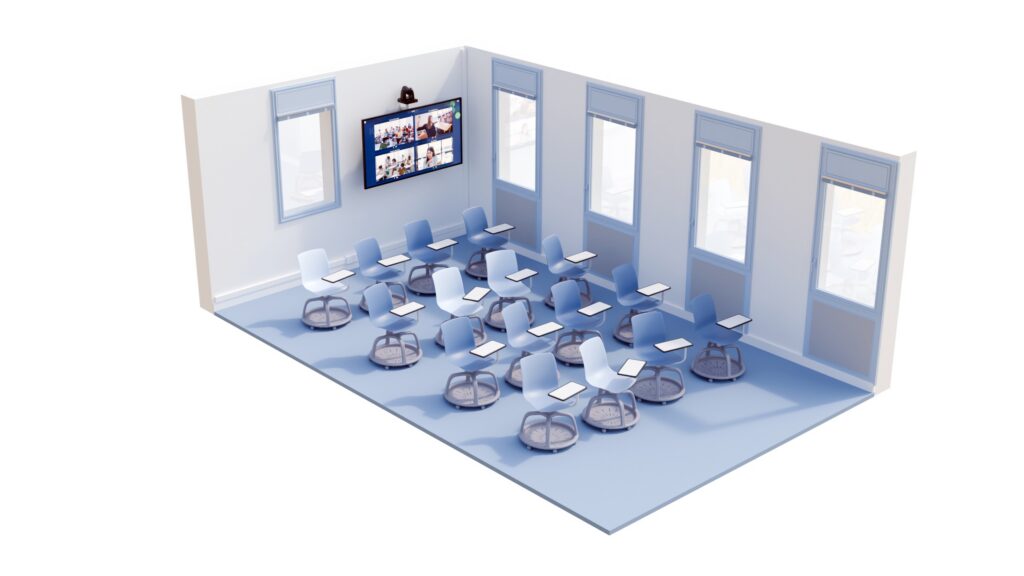
Open floor space
Free floor space is essential to let the trainer move around among learners. What’s more, for safety reasons, the room needs to be quick to evacuate, without obstacles. A cluttered room risks increasing stress and disrupting concentration.
Technology and audiovisual equipment
Integrating technology into the training room needs to be thought through based on the intended teaching use. In a “classroom”-style environment, a large interactive screen is often recommended, while circle or cluster setups may require several screens to ensure every participant has a clear view of the content.
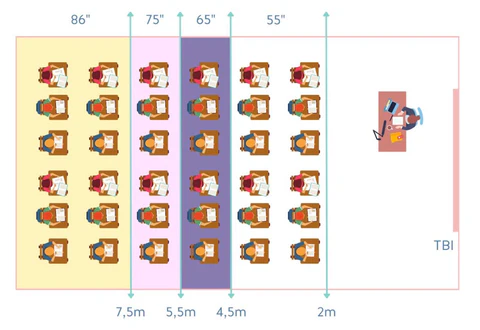
Sound, meanwhile, needs to be evenly distributed throughout the room. A strong Wi-Fi connection is also essential, especially if participants need to access videos, materials, or video calls during the training.
SETTING UP A VIRTUAL TRAINING ROOM
With the COVID-19 crisis, many students and employees had to follow their training from home. As a result, many institutions struggled to keep delivering quality training.
WHAT SOFTWARE SHOULD I USE FOR MY VIRTUAL TRAINING ROOM?
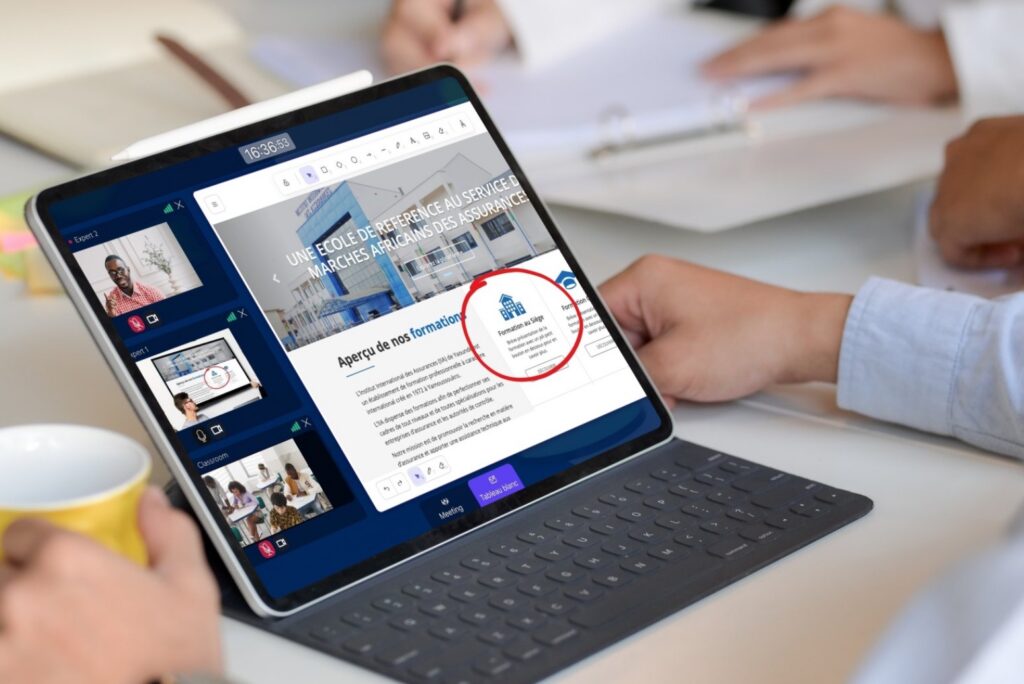
Software such as Kapture lets trainers and students interact within a virtual training room. Inside, you can write on a whiteboard, use sticky notes, annotate, draw, or share content. To communicate, the software includes video conferencing and a hand-raising feature.
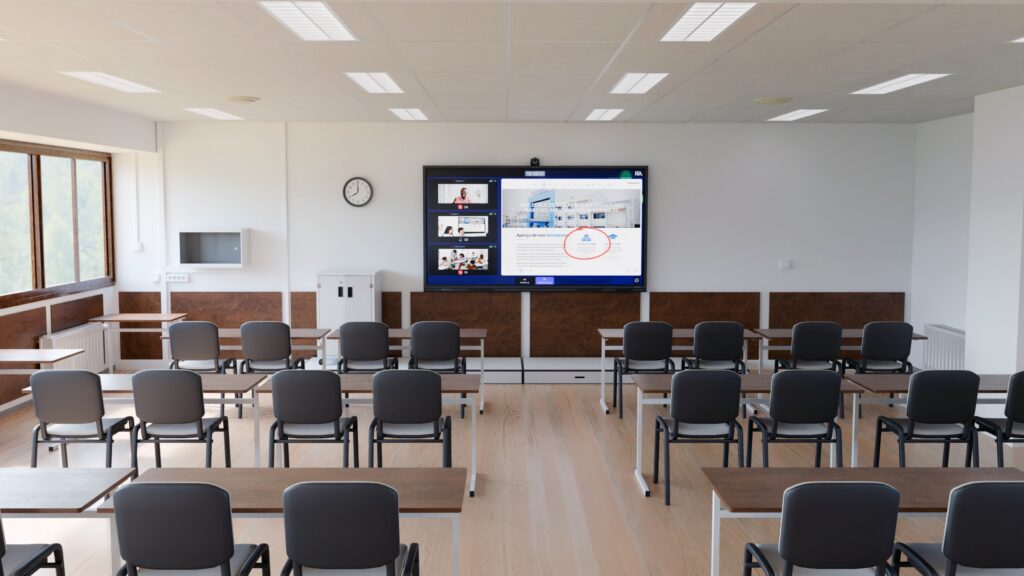
The tool also lets you grant extra permissions to trainers. For example, you can take control of students’ screens to draw their attention to a particular point. Another example is the ability to create different working groups within the virtual training room.
This last feature is also supported by Kalyzée: the trainer can “move” from one virtual table to another, then bring everyone back together in the same conference — ideal for breakout group work.
Setting up a hybrid training room
The recent period has deeply transformed the way we work and learn. While some continue to favor remote work, others prefer being on-site. To meet these new expectations, hybrid training rooms have emerged: capable of accommodating both types of collaboration in an increasingly seamless way.
Layouts designed for interactivity
A successful hybrid training room relies above all on technology capable of encouraging active participation, whether in-person or remote. The interactive touchscreen is at the heart of this dynamic.
It lets the trainer bring the session to life by sharing content interactively, while making live annotation easy. This screen, paired with a 180° camera, gives remote participants a complete view of what’s happening in the room. That way, remote learners see the exchanges between the trainer and students as well as the interaction between participants.
Immersive connectivity through audio and video
To recreate genuine visual and audio closeness between in-person and remote learners, laying out the room means integrating an audiovisual system. This includes a screen, a camera, as well as microphones and speakers carefully positioned around the room.
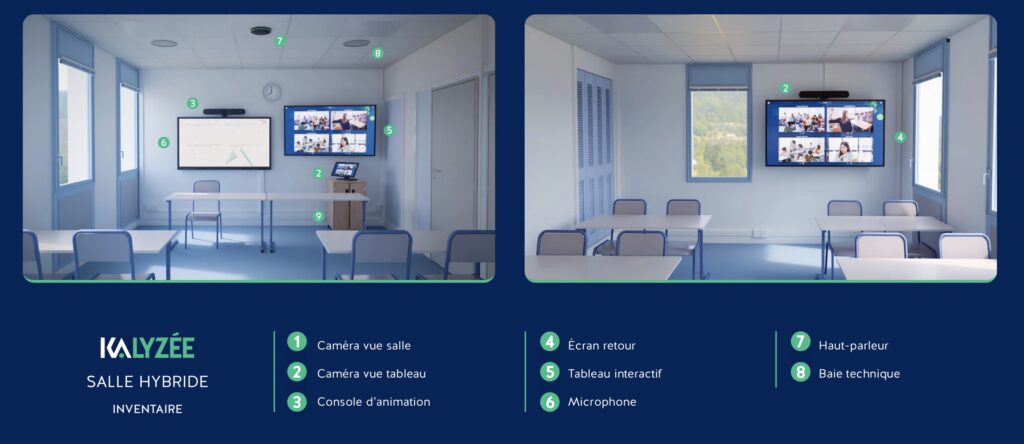
These elements let remote participants follow the session as if they were physically present, with clear sound and high-quality video capture. This technology recreates eye contact and audio connection between participants, for genuine interaction.
A richer, more inclusive learning experience
By laying out a training room this way, you maximize interactivity for all participants, whether present or remote, while keeping the trainer-learner closeness typical of in-person training. Hybrid solutions make it possible to create an environment where every participant can fully engage, learn, and interact, with no barrier tied to distance.
Kalyzée, a specialist in hybrid training solutions, supports you in setting up your custom training room. Want to set up an effective, modern hybrid room? Contact our experts for a tailored quote. We’ll guide you from A to Z in creating the ideal space, combining technology and ergonomics for a rewarding training experience.